UPDATE: 31 JULY 2026
1. The original Pickaxe Story ⇑
When building a virtual tour we always try to make the experience engaging and one way to achieve this is to add an AI assistant that can answer questions and provide more information about the location.
I’ve been exploring how to combine the immersive experience of a Pano2VR virtual tour with the intelligent support of a Pickaxe Chat AI to create an engaging and informative exploration of the Waddamana Heritage Site.
This combination enables virtual visitors to ask an AI about the site's history, hours of operation or even the function of the Pelton wheel turbines and get instant answers.
With Pickaxe, I trained a customized AI assistant using a single link to the Waddamana Heritage Website.
The images below show the old Chat button and the result of a question asked.

Chat button that links to Pickaxe Chat

The answer is returned
Why the change?
In the early days Pickaxe was simple, lightweight, and affordable. When Pickaxe first launched, it positioned itself as a straightforward, accessible no-code prompt builder.
You could write custom prompts, attach simple inputs, and quickly generate or embed web-based AI forms and chatbots even in a Pano2VR tour.
Early pricing was flat and predictable. Solopreneurs, creators, and hobbyists could spin up a handful of tools for a low monthly fee without worrying about complex token math or backend infrastructure.
Finally, the focus was on ease of use—helping non-engineers quickly test ideas without complex API management or dynamic credit systems.
The Pivot!
As the AI wrapper landscape grew crowded, Pickaxe evolved from a simple builder into a full commercial platform for AI agencies and micro-SaaS builders. They introduced features like hosted "Studios" (white-labeled web apps), vector knowledge bases (RAG), custom API actions, and native Stripe integration.
While these features made the platform far more capable, they fundamentally changed the economic agreement between Pickaxe and its users.
The Current Reality
Pickaxe transitioned to a hybrid, usage-metered pricing architecture that scales up quickly and can be difficult to predict. Instead of a simple flat plan, Pickaxe introduced tiered tiers and rather than including generous or flat usage, Pickaxe shifted to a credit system where end-user activity draws directly from your monthly credit allowance.
My Reality
As a Pano2VR developer and mentor, I can’t economically justify another recurring subscription for a tool that doesn't generate revenue for me.
Don’t get me wrong—Pickaxe is a great platform, and they’ve made AI accessible for creators. However, as the product evolved into a broader ecosystem, it became a bit more complex and costly than what I actually needed. Since my goal was simply to demonstrate how a clean, custom knowledge base could be integrated into a Pano2VR virtual tour, it was time to seek out a leaner, more tailored alternative.
2. Knowledge-Based AI Assistant ⇑
That led me to build a custom solution directly on AWS using Anthropic (Claude). By wiring an AI knowledge base directly into the Pano2VR tour skin via lightweight web API requests, I achieved exactly what I needed: a fast, reliable assistant with full control over the data, zero middleman markup, and true pay-per-token usage.
The tour below has a working version of the Assistant.
3. How to use the Assistant ⇑
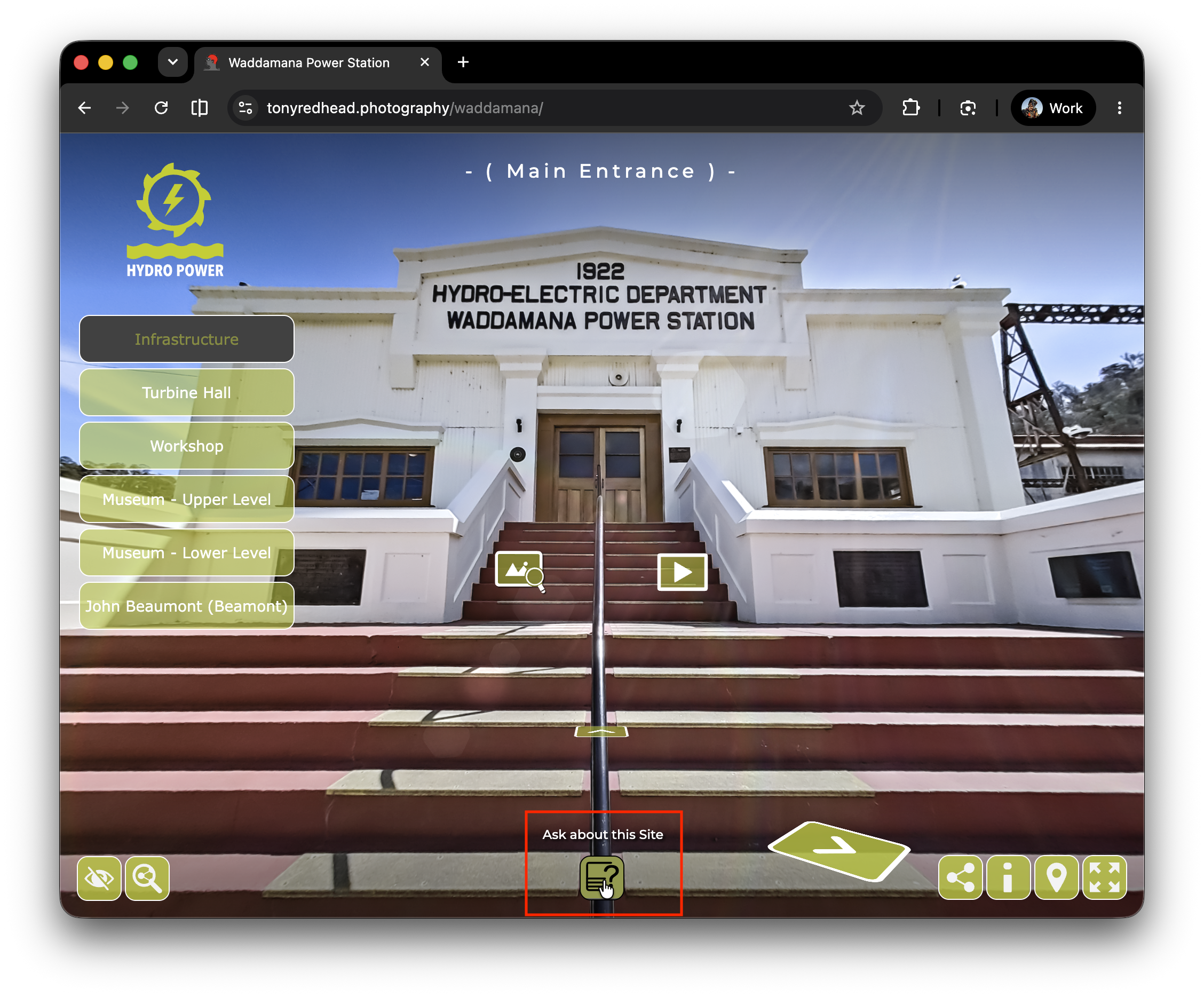
1.
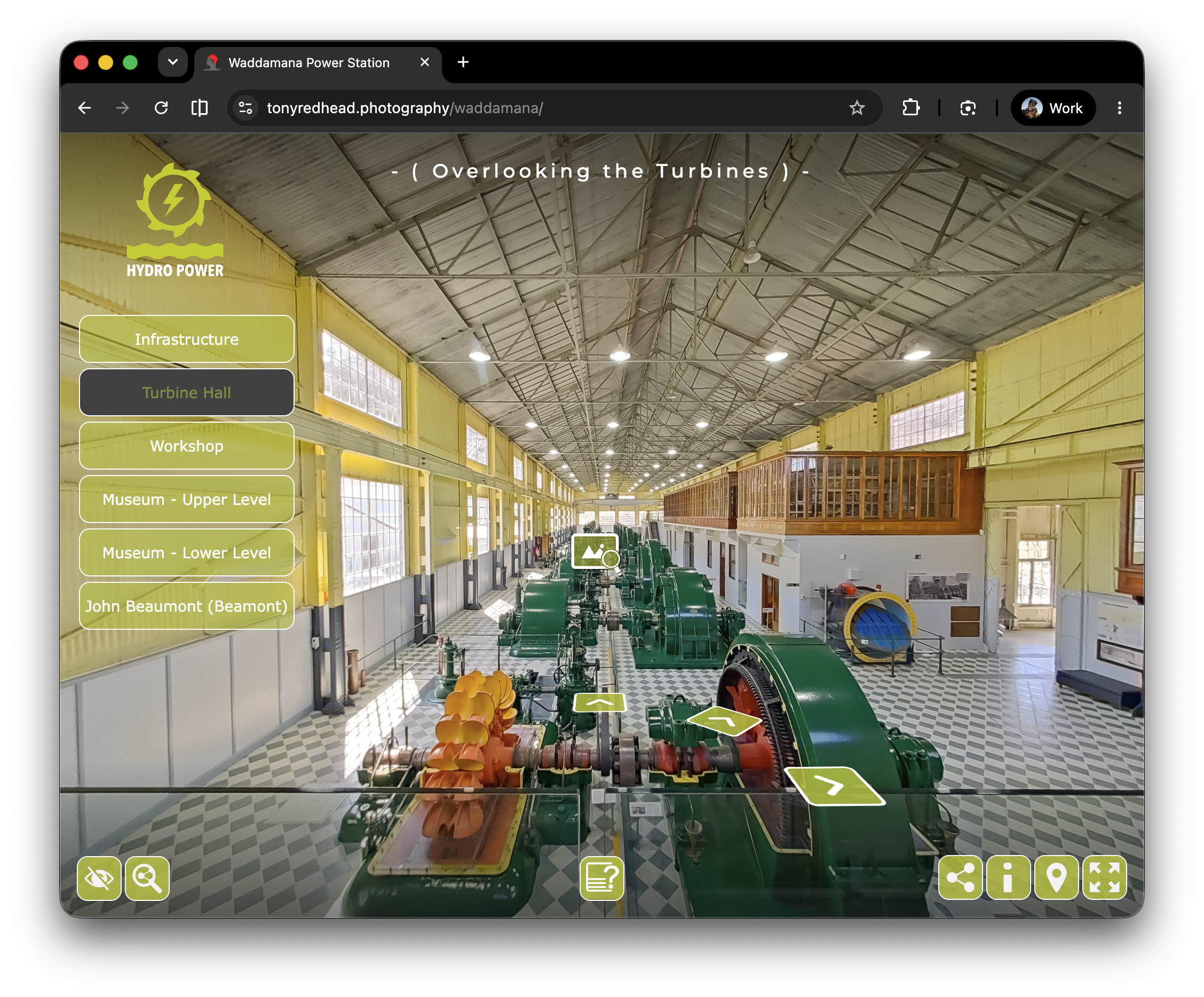
Click on the UI Button (bottom-center)
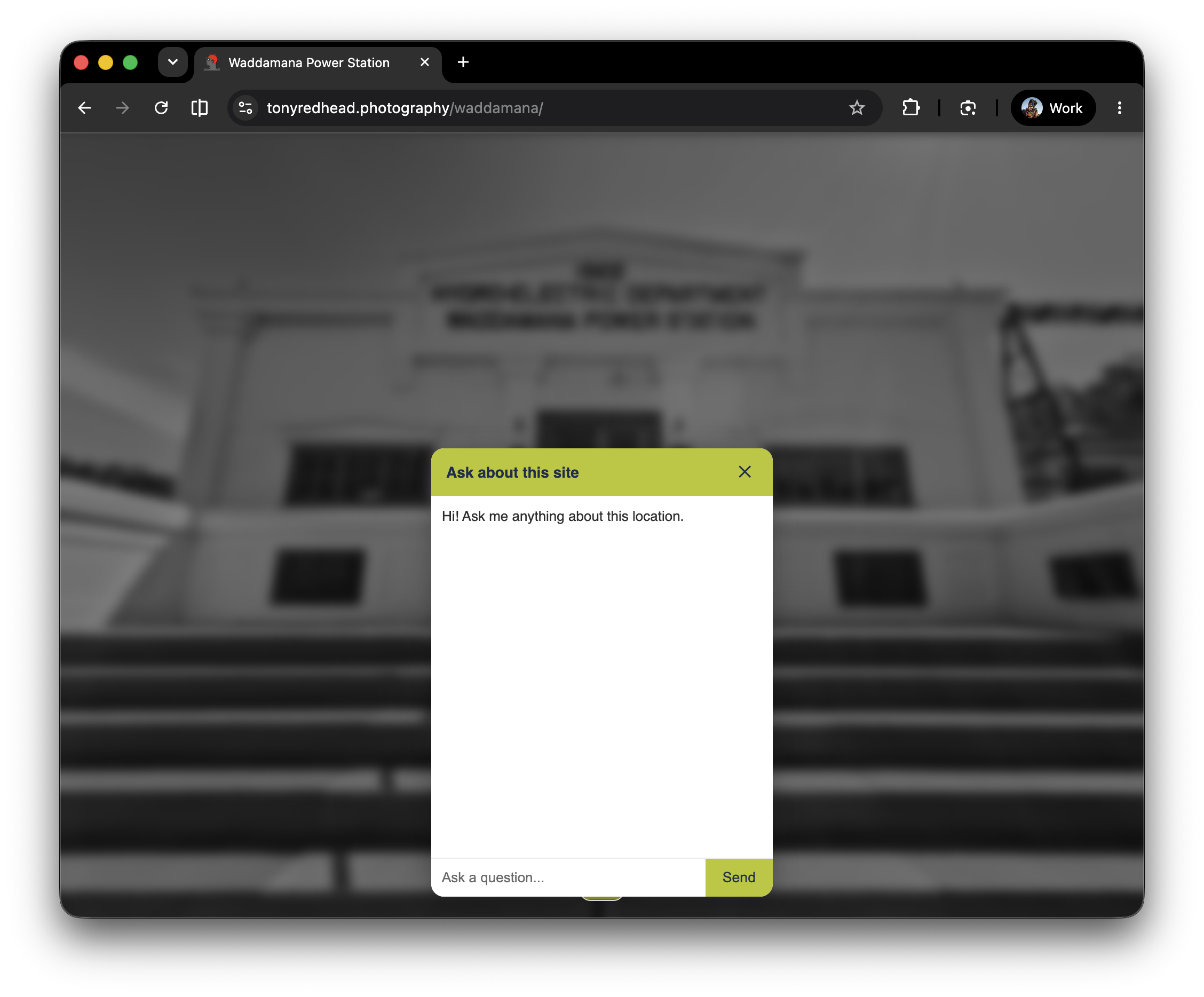
2.
This will open the enquiry window with a prompt, “Hi! Ask me anything about this location.”
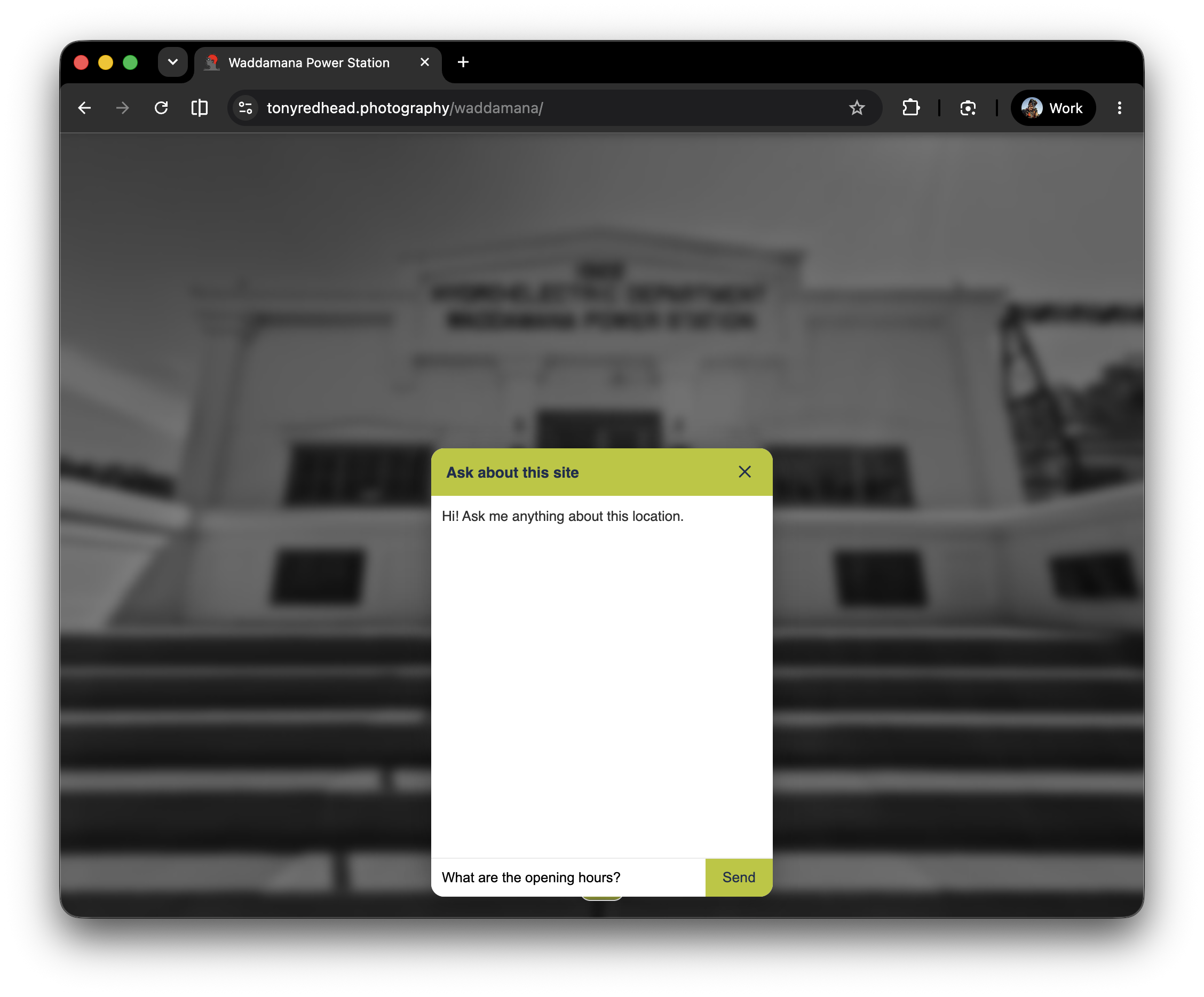
3.
Enter a simple question, “What are the opening hours?” and click ‘Send’
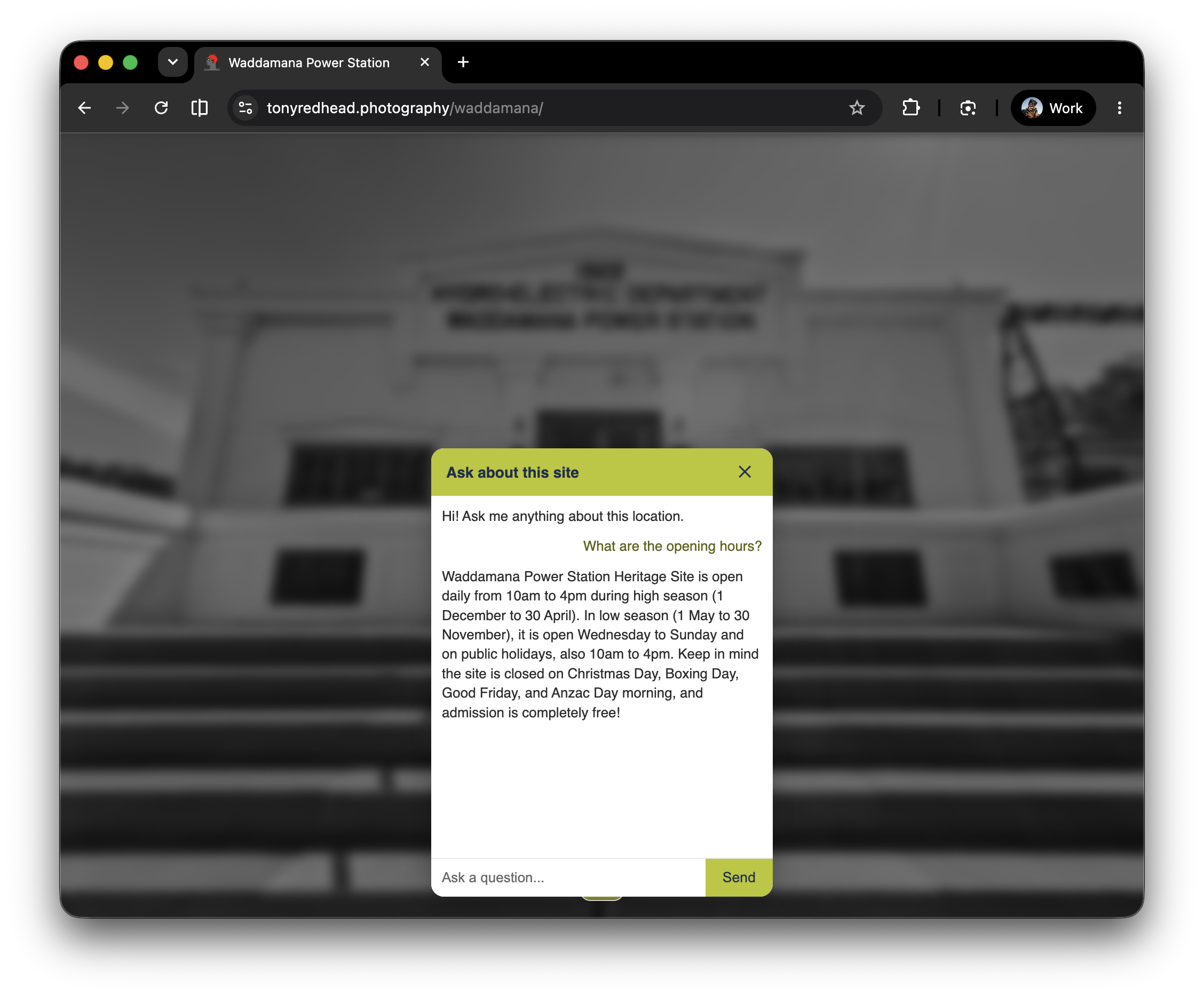
4.
After a second or two you will receive an answer. In this case:
“Waddamana Power Station Heritage Site is open daily from 10am to 4pm during high season (1 December to 30 April). In low season (1 May to 30 November), it is open Wednesday to Sunday and on public holidays, also 10am to 4pm. Keep in mind the site is closed on Christmas Day, Boxing Day, Good Friday, and Anzac Day morning, and admission is completely free!”
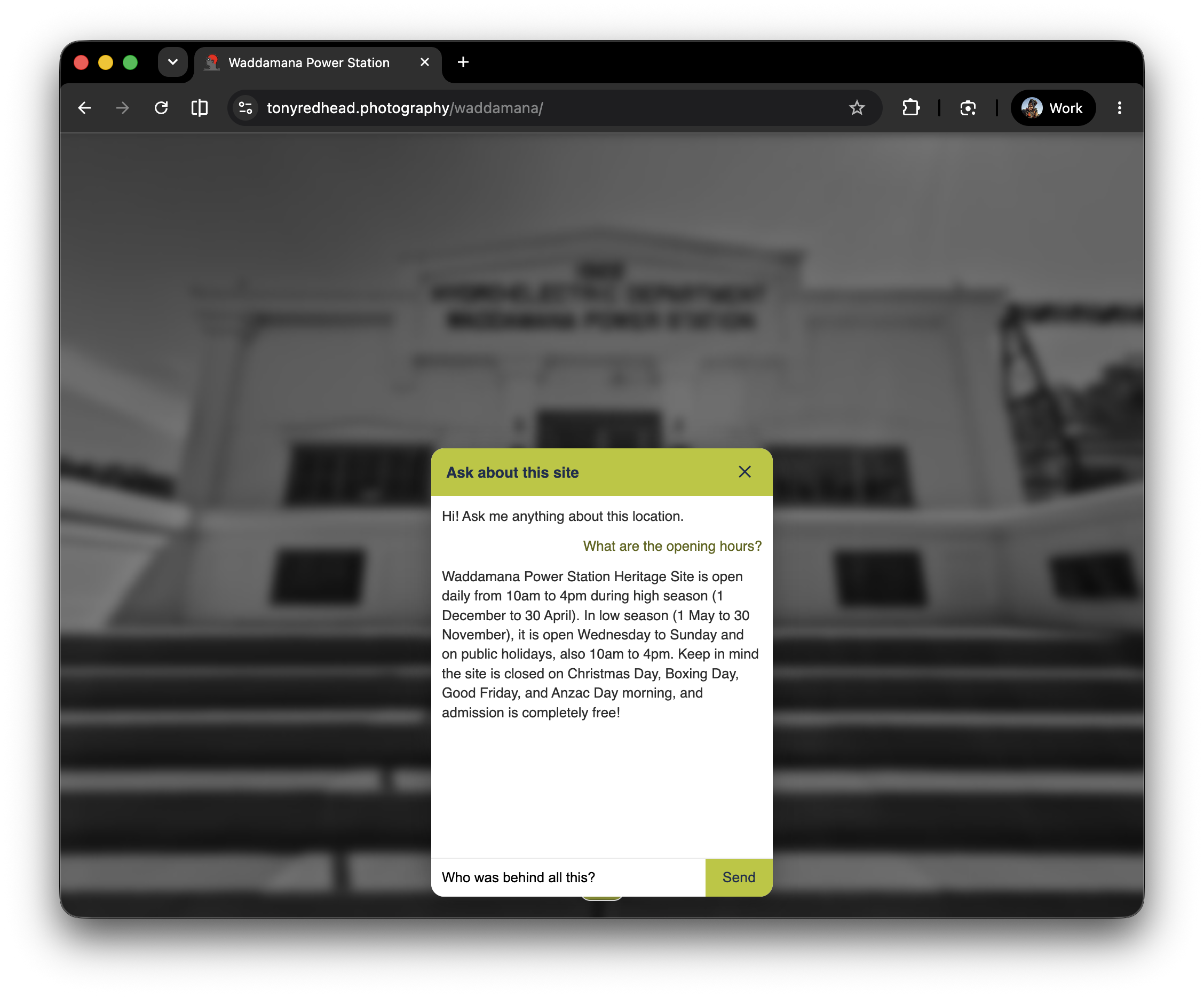
5.
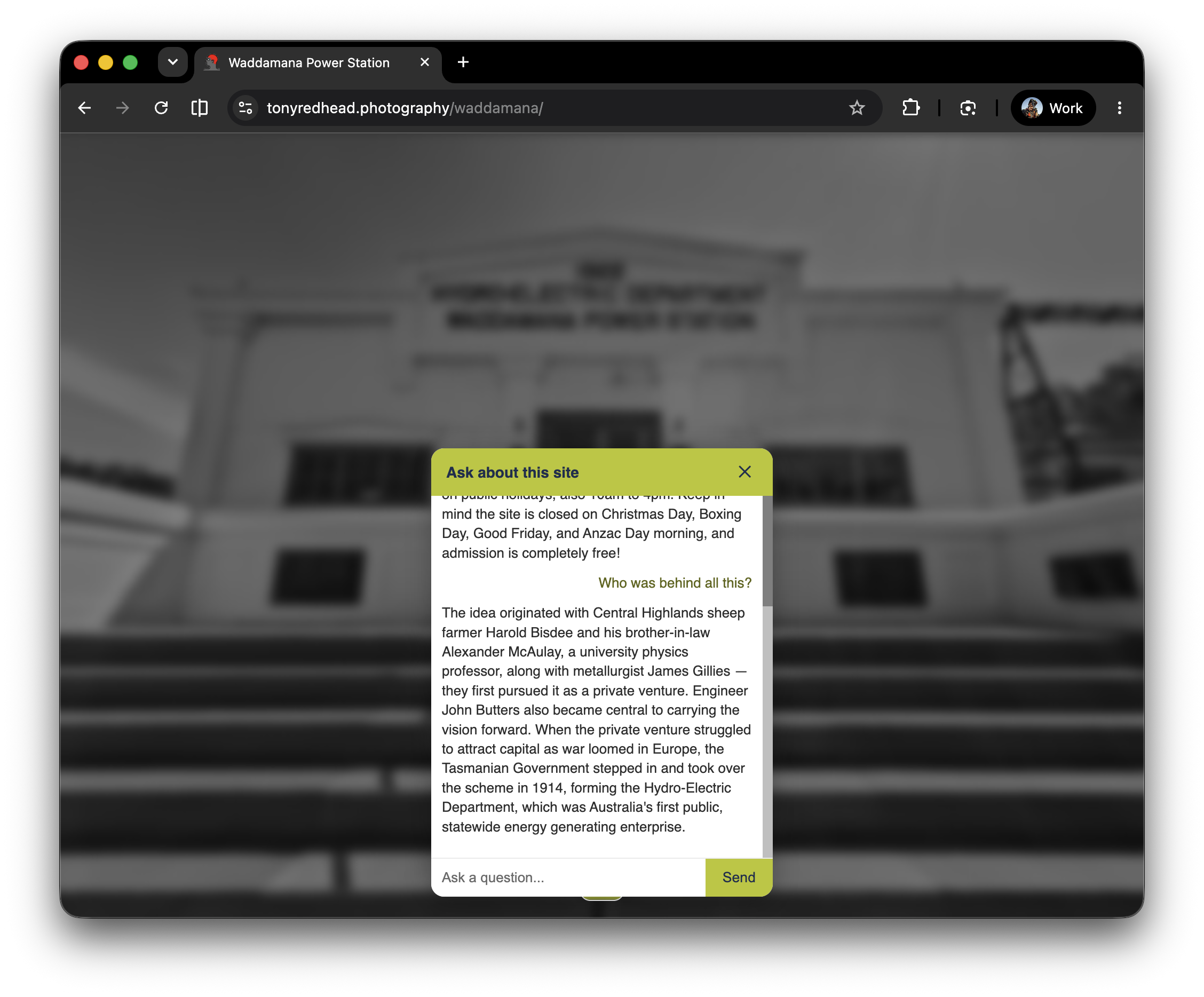
Alternatively we can ask something a bit more generalised like, “Who was behind all this?”
6.
After a second or two you will receive an answer.
“The idea originated with Central Highlands sheep farmer Harold Bisdee and his brother-in-law Alexander McAulay, a university physics professor, along with metallurgist James Gillies — they first pursued it as a private venture. Engineer John Butters also became central to carrying the vision forward. When the private venture struggled to attract capital as war loomed in Europe, the Tasmanian Government stepped in and took over the scheme in 1914, forming the Hydro-Electric Department, which was Australia's first public, statewide energy generating enterprise.”
4. Node Specific Information ⇑
If you select the Turbine Hall > Overlooking the Turbines node the AI Assistant has information specific to the node.
1.
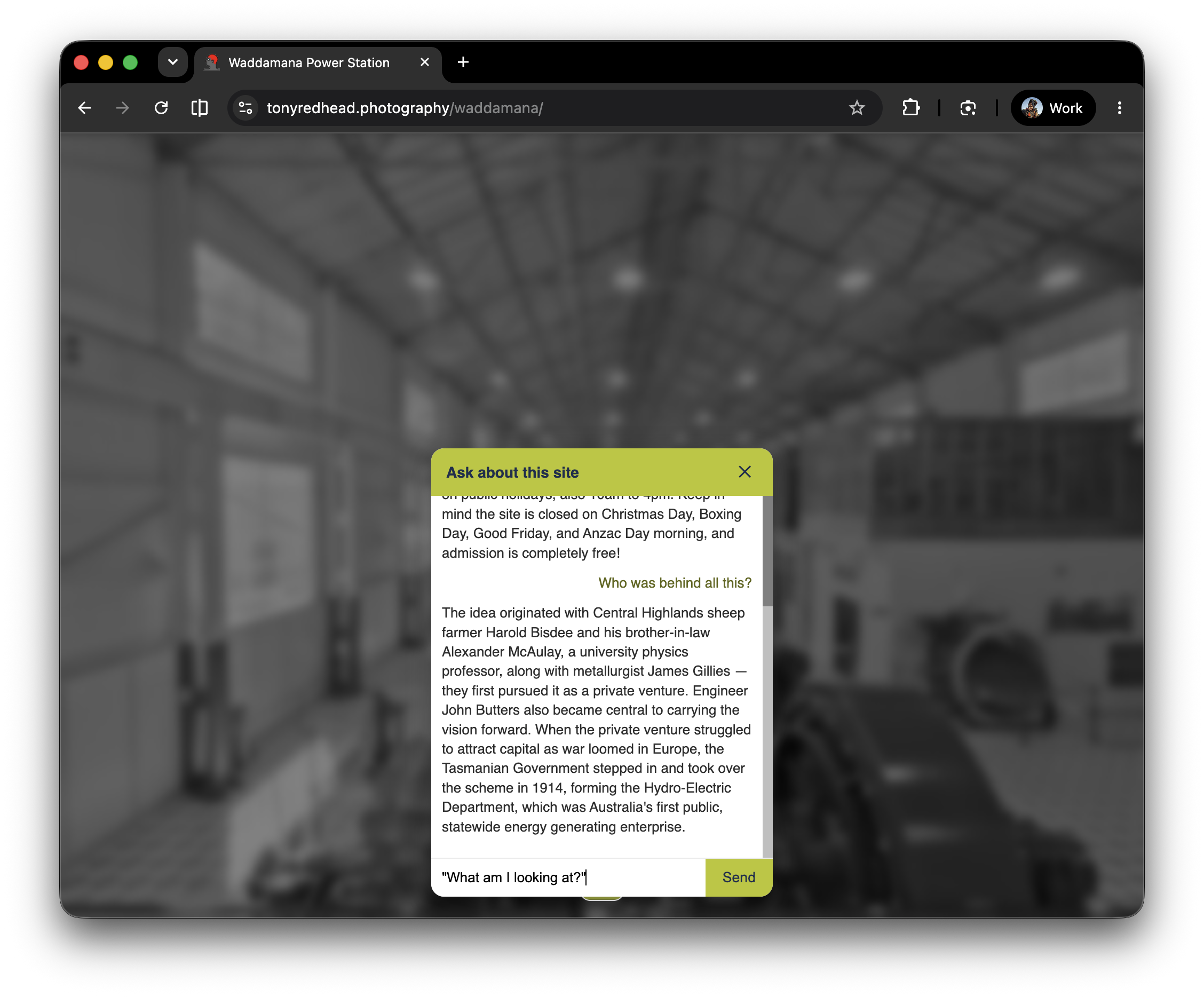
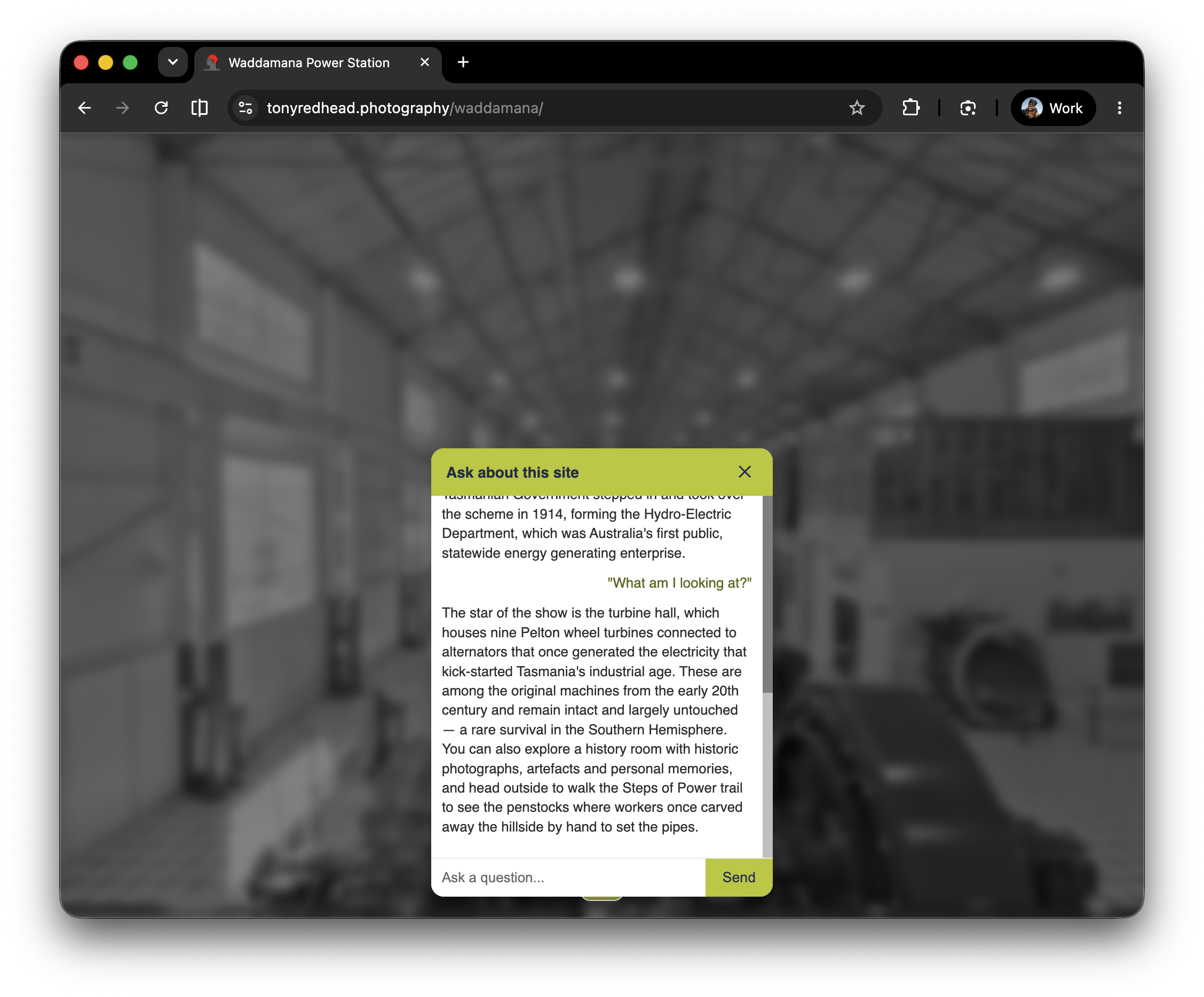
Enter a simple question related to the current node, “What am I looking at?” and click ‘Send’
2.
After a second or two you will receive an answer:
”The star of the show is the turbine hall, which houses nine Pelton wheel turbines connected to alternators that once generated the electricity that kick-started Tasmania's industrial age. These are among the original machines from the early 20th century and remain intact and largely untouched — a rare survival in the Southern Hemisphere. You can also explore a history room with historic photographs, artefacts and personal memories, and head outside to walk the Steps of Power trail to see the penstocks where workers once carved away the hillside by hand to set the pipes.”
5. Expanding Searches ⇑
1.
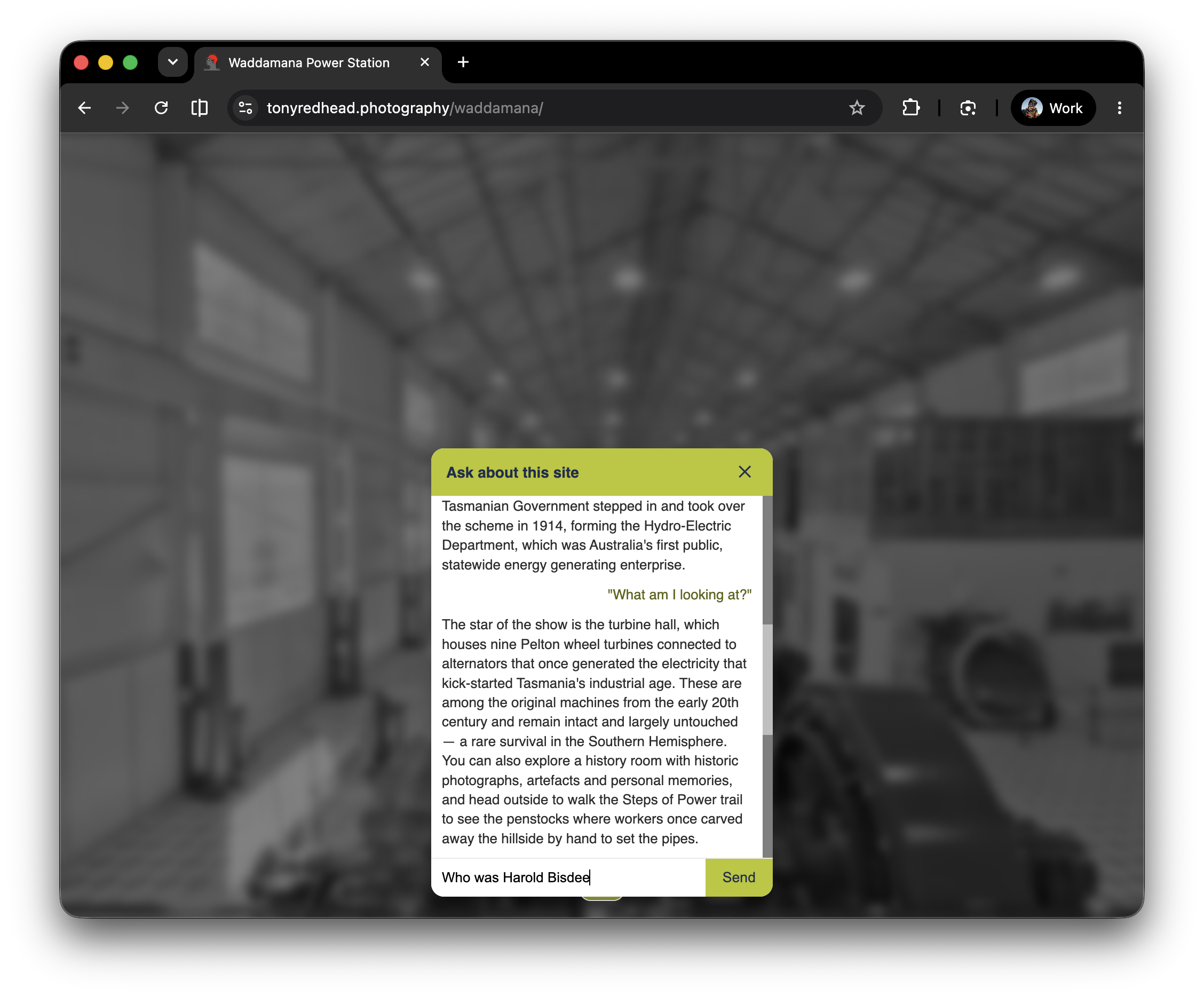
In the first example when we asked it “Who was behind all this” it returned the name “Harold Bisbee”. So let’s ask it “Who was Harold Bisbee?”
2.
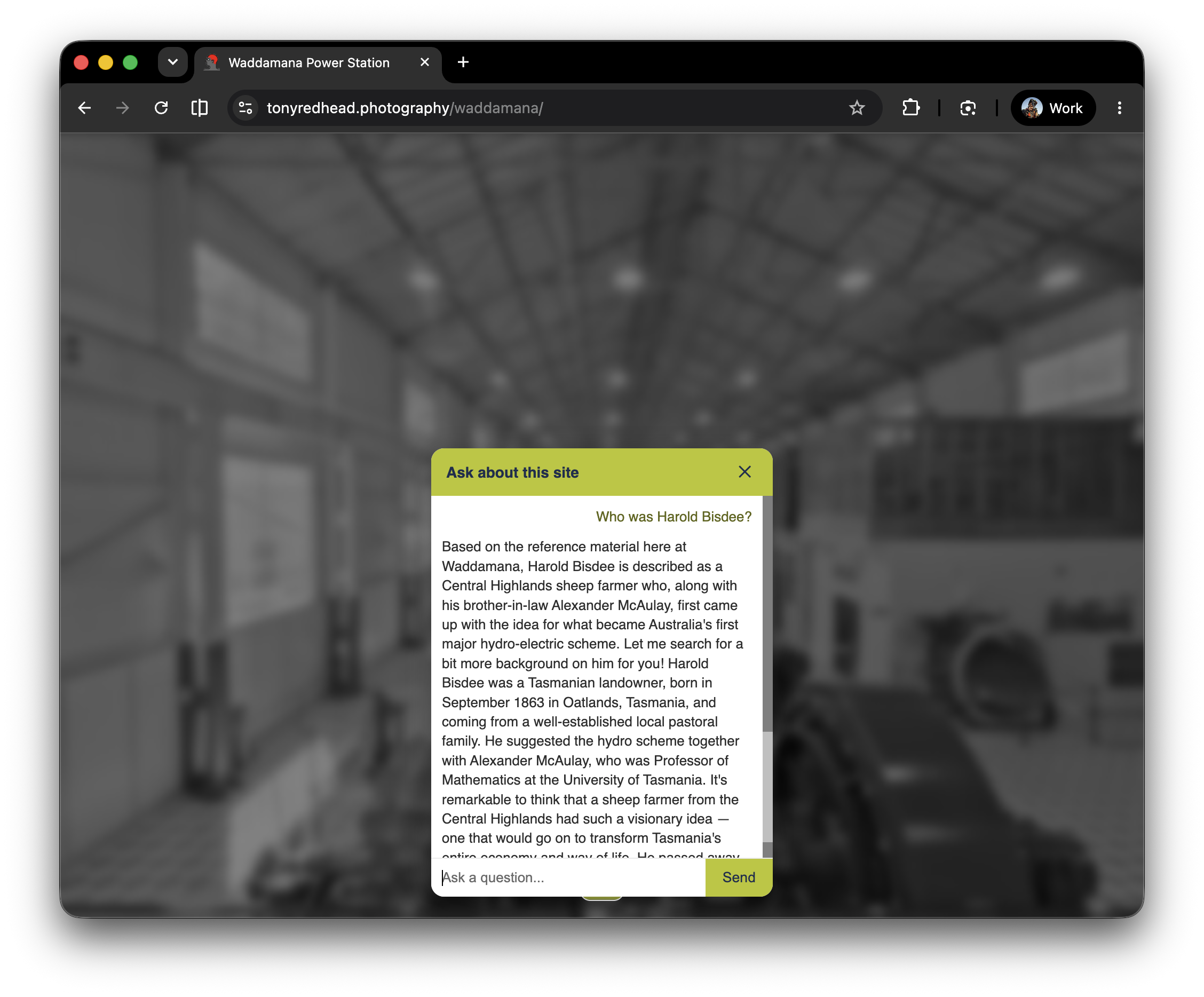
The AI first provides an answer based on the reference material it has already. But then goes on to say “Let me search for a bit more background on him for you!” Now the AI is looking beyone the reference material using a web search tool and expands on the the answer already provided with:
”Harold Bisdee was a Tasmanian landowner, born in September 1863 in Oatlands, Tasmania, and coming from a well-established local pastoral family. He suggested the hydro scheme together with Alexander McAulay, who was Professor of Mathematics at the University of Tasmania. It's remarkable to think that a sheep farmer from the Central Highlands had such a visionary idea — one that would go on to transform Tasmania's entire economy and way of life. He passed away on 28 May 1929, aged 65.”
So a question not covered by the information already available to it will action the AI Assistant to search the internet for more information but with an important distinction based on what kind of question it is:
For questions specifically about the site (Waddamana's own history, hours, people, how things there work) — it's restricted to only the reference material. If something specific to the site isn't in there, it's instructed to say so rather than guess or search, since we don't want it inventing facts, hours, or figures about the tour that aren't verified.
For more general related questions (Tasmanian history broadly, how hydropower works in general, the wider Central Highlands region, current events relevant to the trail) — it can go outside the uploaded content in two ways:
Its own general knowledge (from training)
The web search tool which it uses specifically when its own knowledge might be outdated or the question is about something current
For anything unrelated entirely (general trivia, unrelated topics, "write me a poem") — it declines and redirects back to the site.
That's a fun request, but I'm here as your guide for the Waddamana Power Station heritage site, so creative writing is a little outside my role! I'd love to keep chatting about the station, its history, the Highlands Power Trail, or anything else connected to your visit here. What would you like to know?
So the practical line is: site-specific facts stay strictly grounded in what we’ve given it (safety/accuracy), while broader context around the visit can pull in outside information (usefulness). That split is intentional — it protects against the AI Assistant confidently making up wrong hours or history for your actual site, while still letting it be genuinely helpful for the kind of tangential questions a curious visitor might ask.
6. Further Questions? ⇑
If this is something you are interested in deploying in your virtual tour please contact me at tony@tonyredhead.com or on WhatsApp +614348501002
7. What is Pano2VR? ⇑
Pano2VR is a powerful virtual tour software that converts panoramic or 360° photos and videos into interactive experiences1. It allows users to link panoramic photo scenes, or nodes, using transitions1. Finished projects can be integrated with existing websites and viewed on desktops, mobile devices, or VR devices1.
Key features of Pano2VR include:
Image Enhancement: Remove imperfections using the Patch mode or AI
Interactive Elements: Add popups, hotspots, directional sound, and video
Customizable User Interface: Use included skins or design custom buttons and controllers with the Skin Editor
Animation Paths: Create animation paths to highlight scenes
Gigapixel Images: Supports gigapixel images and multi-resolution for detailed zooming
Export Options: Export in HTML5 format or directly to WordPress It supports WebXR for VR experiences and integrates with VRTourviewer for offline VR tours
Google Street View: Edit and publish tours to Google Street View
Additional Features: It also includes features such as droplets, an integrated web server, live updates, and supports various image formats
Pano2VR supports video panoramas and offers multiple projections. It also provides functionalities like geotagging, a tour browser, tour maps, automatic linking, hotspot marker hints, and transitions.
